Skip to content

Product updates

What we've shipped in Gumshoe, newest first. To share an update, link to its title.

Last update: Meta Muse Spark in your audits, November 17, 2026

  1. Meta Muse Spark in your audits

    • Meta Muse Spark

      Add Meta's Muse Spark model to a Visibility Audit and see how it answers each of your buyer personas, next to the other models you already track. It is available on both Build your own and the Playbook.
  2. Review Sentiment Audit questions before they run

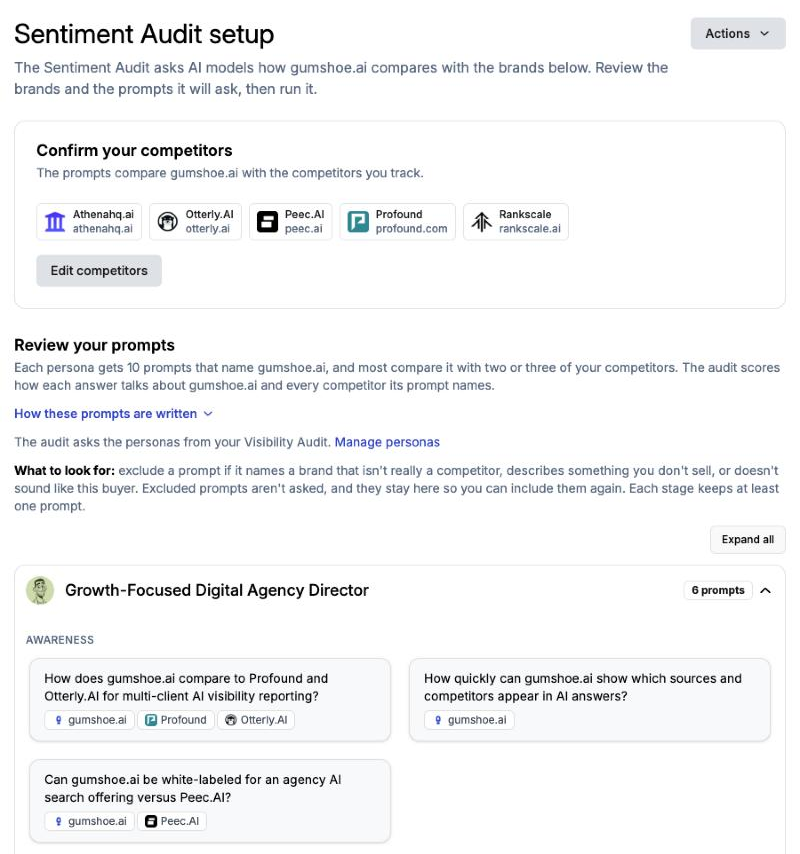
    Sentiment Audit setup page listing the tracked competitors and the prompts each persona will be asked
    • Sentiment Audit setup

      A new setup step shows the competitors and prompts a Sentiment Audit will use before it runs. You can exclude a prompt that names the wrong competitor or does not fit the buyer.

      Learn more
    • Runs again on renewal

      Once setup is done, the Sentiment Audit runs automatically each time your subscription renews. Projects that already ran one keep running on renewal without going through setup.

  3. Build your own plan with add-on audits

    • Build your own

      Starter is now Build your own. It keeps the monthly Visibility Audit and weekly Pulse Audit, and you can add the Sentiment, Citation, or Content Audit one at a time as a monthly add-on.

      Learn more
    • The Playbook

      Pro is now the Playbook. It includes all three of those audits and a daily Pulse Audit.

      Learn more
  4. Citation Audit: which brands each cited page mentions

    Source detail panel for a cited page, showing its citation count, title, description, and the brands it mentions
    • Brand mentions on cited pages

      Gumshoe crawls every page the models cite and tells you whether your brand is named in the page text, and which of your tracked competitors are.

      Learn more
    • Citation frequency and publication details

      See how often each page was cited across the answers in your audit, plus its author and publication date, so you know who to contact and how current the coverage is.

  5. Technical Audit upgrade

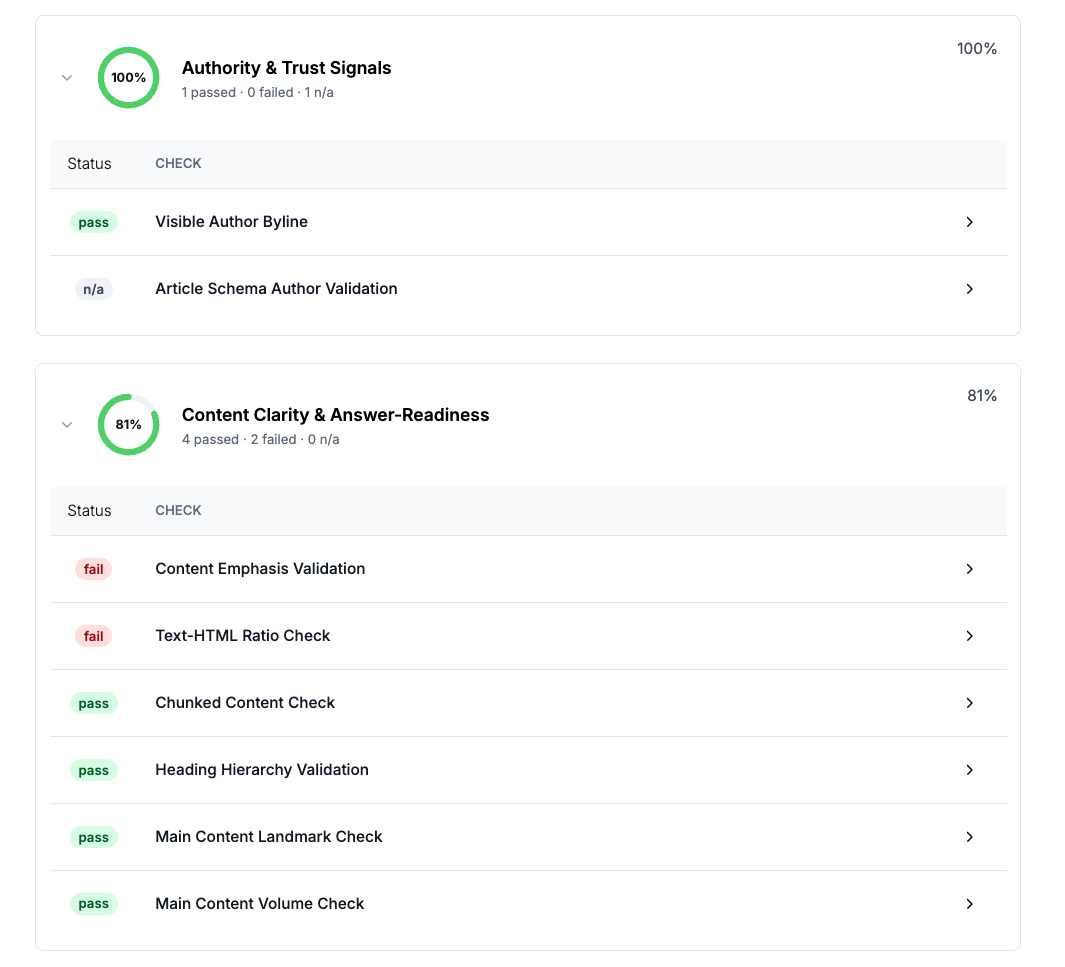
    Technical Audit results grouped by category, with each check marked pass, fail, or not applicable
    • Four groups of checks

      The Technical Audit crawls the page, analyzes the code, and checks crawlability (can AI bots reach the page), retrievability (can they get to the content), structured data (can they tell what the page is about), and page structure (is the content easy to lift into an answer).

      Learn more
    • Proof a fix worked

      Re-run after a fix and the failing checks flip to pass. A monthly run catches what a template change breaks.

  6. Subscriptions, a redesigned dashboard, and four new audits

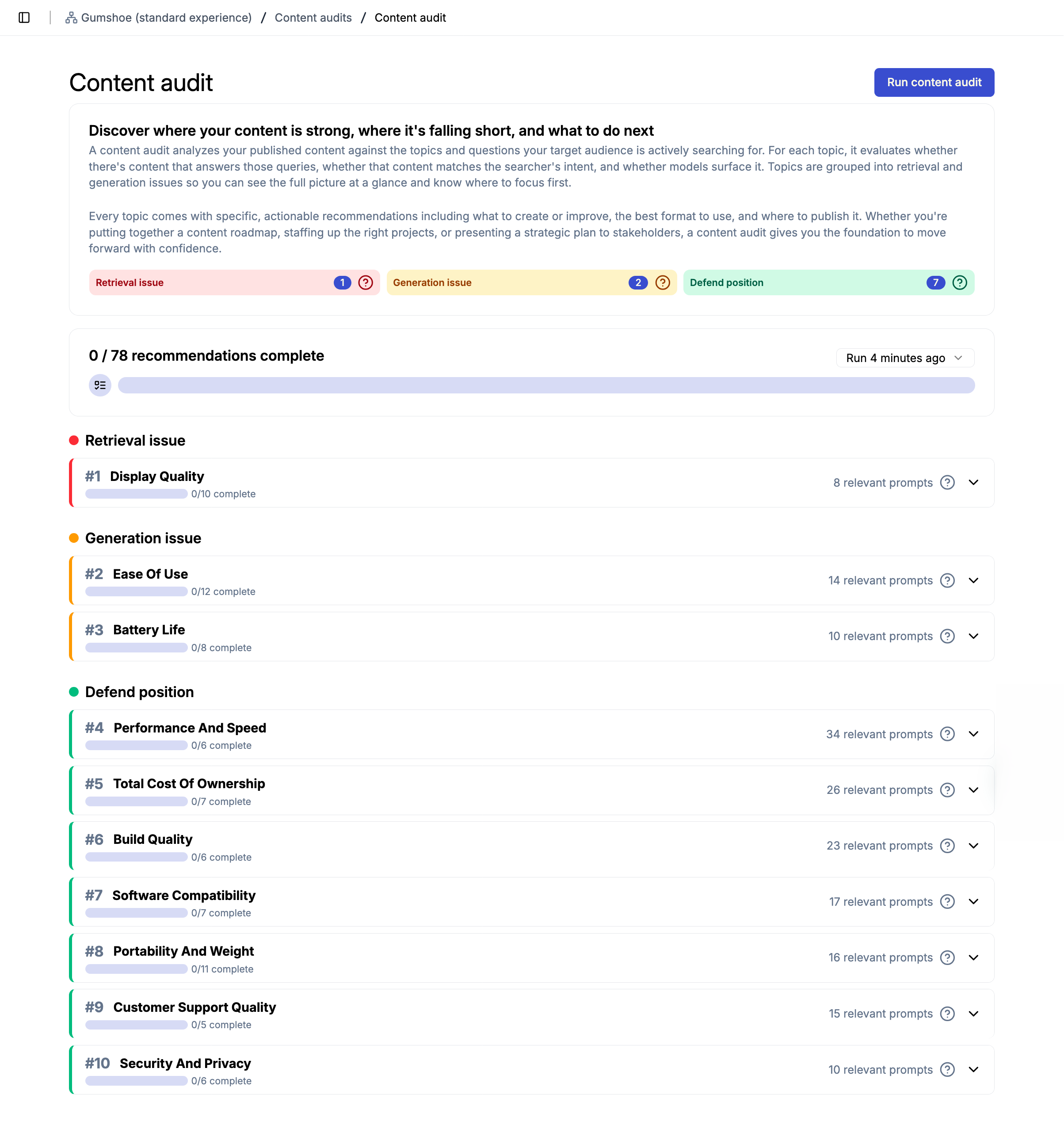
    Content Audit report grouping topics into retrieval issues, generation issues, and positions to defend
    • Monthly subscriptions

      Projects can now run on a monthly plan, billed by card. The plans launched as Starter and Pro and are now called Build your own and the Playbook.
      Learn more
    • Redesigned dashboard

      A new project dashboard ships with the subscription plans.

    • Content Audit

      Checks whether your site's content has the depth and coverage to answer the prompts your buyers ask, and suggests new and improved content.

      Learn more
    • Sentiment Audit

      Shows whether models describe your brand positively or negatively across key topics and stages of the buyer journey.

      Learn more
    • Citation Audit

      Shows which first-party and third-party domains have the most influence on model answers, and whether your brand or competitors appear in that content.

      Learn more
    • Pulse Audit

      A lighter daily or weekly run on a focused set of personas, topics, and prompts, so you see movement between monthly audits. It launched as the Snapshot Audit.

      Learn more
  7. Set your report dates, rename brands, and newer models

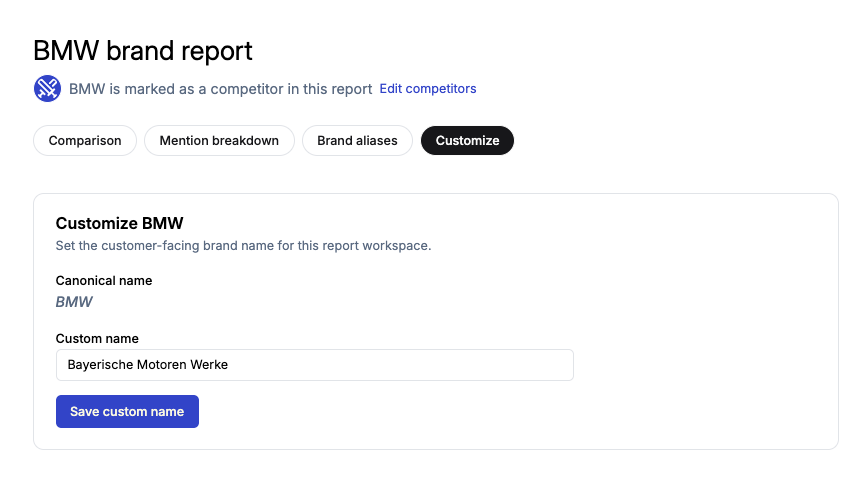
    Customize tab on a brand report, with a custom name field next to the canonical brand name
    • Pick the day recurring reports run

      Choose a day of the week for weekly reports or a day of the month for monthly ones, and every future run locks to it.

    • Rename brands after a report runs

      A new Customize tab on reports lets you set a custom name when a model used the wrong name for your brand or a competitor's. The report updates without a re-run, and exported PDFs use the custom names too.

    • Newer models

      Claude Opus 4.8 from Anthropic and Gemini 3.5 Flash from Google are live across reports.

      Learn more
  8. GPT-5.5, channel-aware content generation, and persona avatars

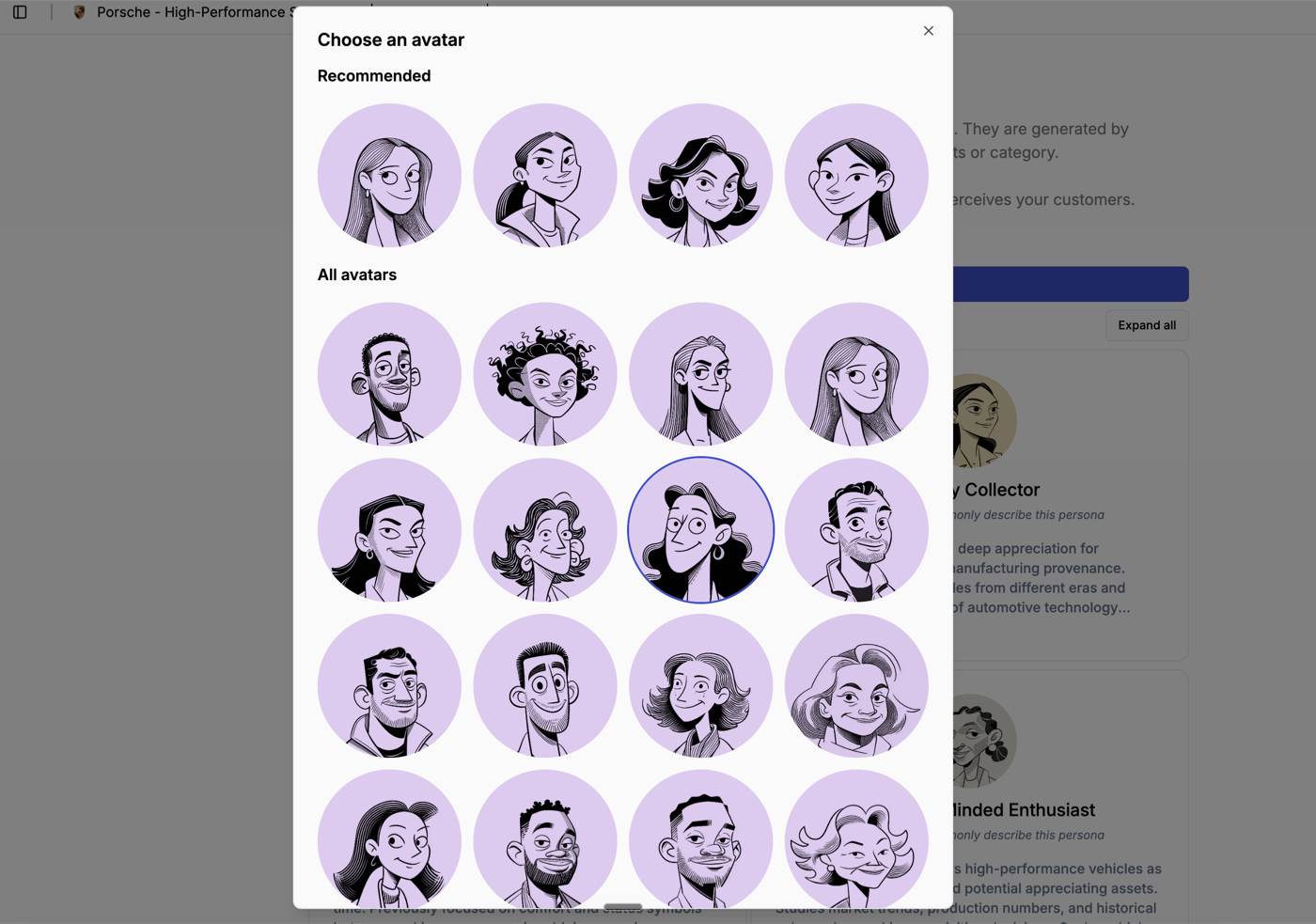
    Avatar picker for a persona, with a Recommended row above the full avatar library
    • GPT-5.5 and Grok 4.3

      GPT-5.5 is available under a new ChatGPT Plus family. Grok prompts now go to Grok 4.3, which replaces Grok Fast.

      Learn more
    • Content generation by channel

      Pick Your own website for FAQs, knowledge articles, how-tos, and competitor comparisons, or External channels for LinkedIn, Reddit, and Quora posts and video outlines. Templates, the recommended writing style, and reference scope change to match.

    • Persona avatars

      Pick an avatar for each persona in the setup wizard from a library of 83, with a Recommended row of best matches. Avatars already in use are grayed out so every persona stays distinct.

      Learn more
  9. Workspaces, reorganized navigation, and Technical Audit history

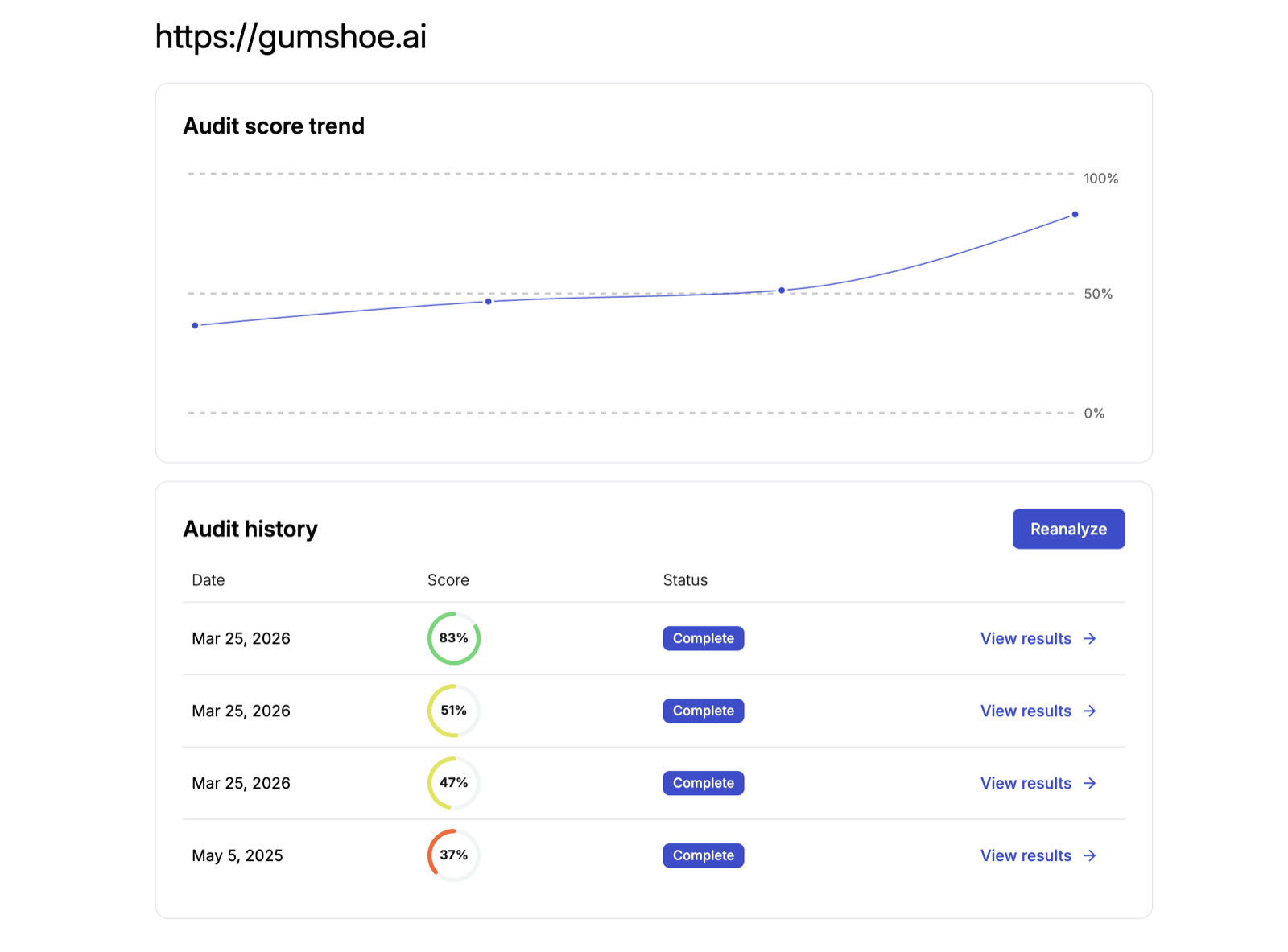
    Technical Audit overview for one page, with a score trend chart and the history of runs
    • Workspaces

      Organizations are now called Workspaces. Members, settings, and history are unchanged.

    • Reorganized left navigation

      The sidebar is grouped into sections. Page audit is now Technical audit, and Mentions is now Citations in Sources tables.

    • Technical Audit history

      A new overview page shows every run for a page on one screen, so you can compare results over time and click into any run. Breadcrumbs make it easier to move between pages, runs, and the overview.

      Learn more
  10. PDF export and sample report upgrades

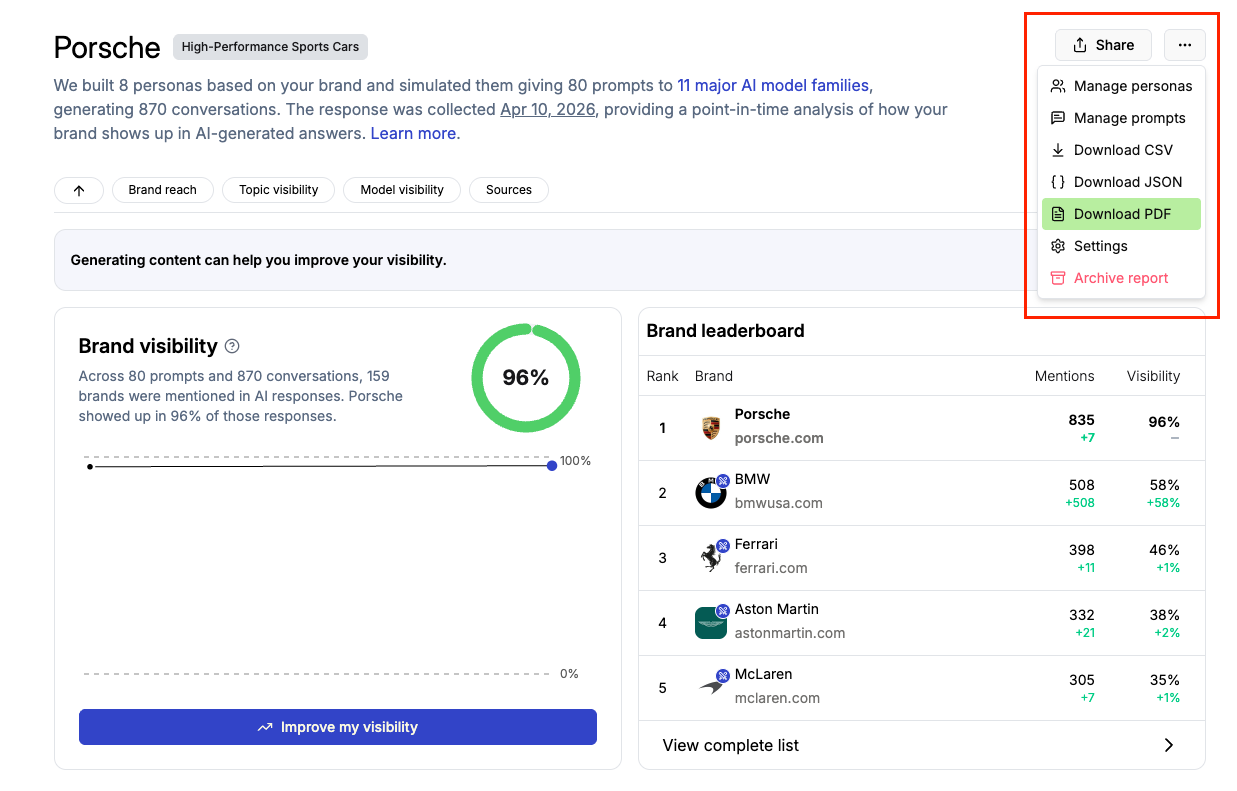
    Report action menu with the Download PDF option highlighted
    • PDF report export

      Export any report run as a PDF covering the run overview, trend chart, leaderboard, heatmaps, personas, topics, and sources.

    • Upgrade a sample report in place

      Upgrade a sample report to a full report without starting over. It keeps your personas, topics, and questions, so you can start your first full run right away.

    • Analysis Focus suggestions that keep up

      If you change your brand name, URL, or summary during setup, the Analysis Focus suggestions regenerate to match.

  11. Topic win/loss analysis, redesigned settings, and newer models

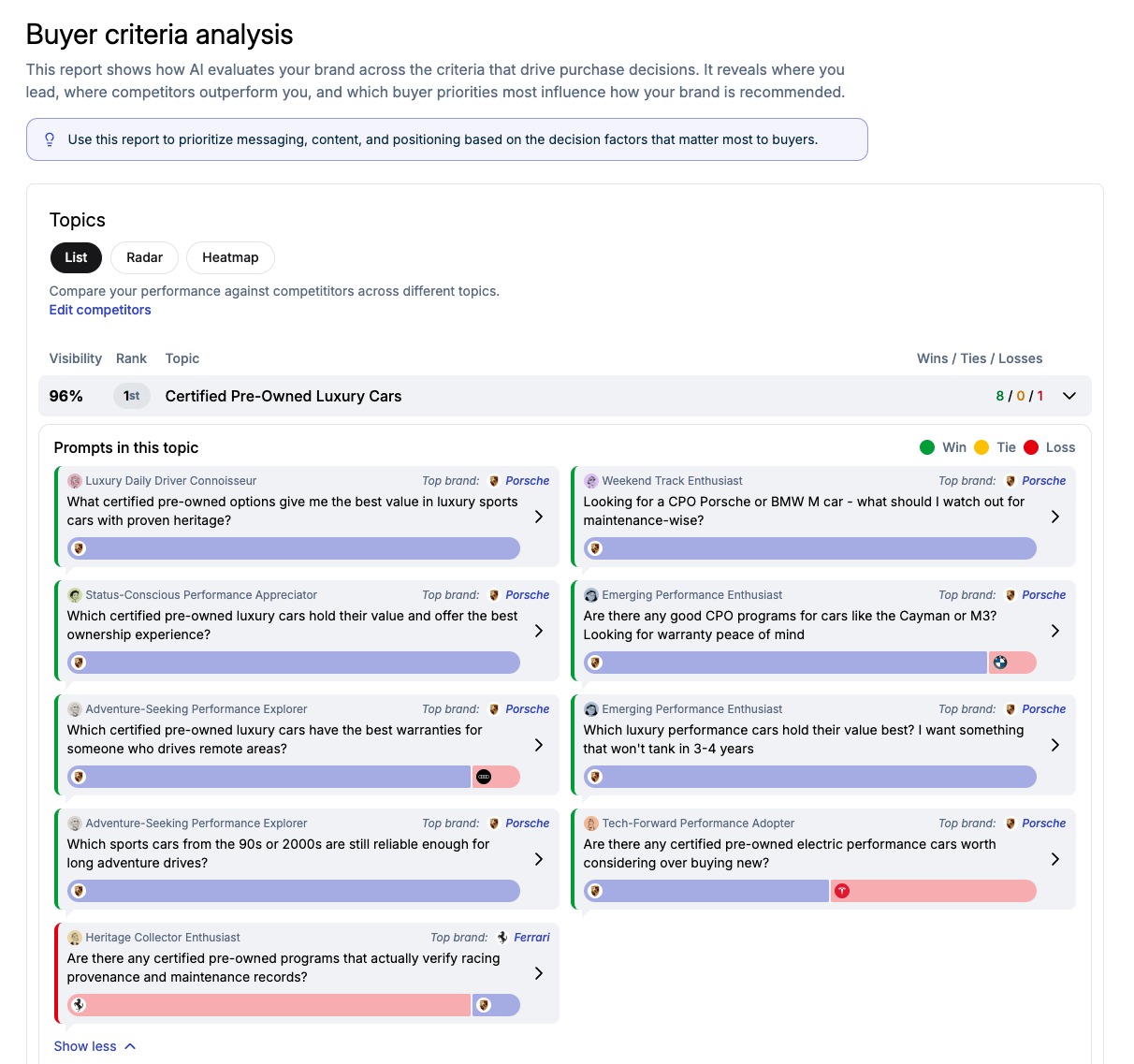
    Buyer Criteria Analysis list view showing wins, ties, and losses for each prompt in a topic
    • Topic win/loss analysis

      Buyer Criteria Analysis now shows which brands win each question by model, how often your brand wins on each topic, and win/loss stats on the radar chart.

    • Redesigned account settings

      Each organization has a settings button in the organization selector, with Team, Usage, and API Keys in one place. You can rename your account and organization yourself.

    • Newer models

      GPT-5.4, Claude Opus 4.6, and Gemini 3.1 Pro replace their previous versions, with no action needed from you.

      Learn more
  12. Buyer Criteria Analysis, Mentions Breakdown, and better conversation filters

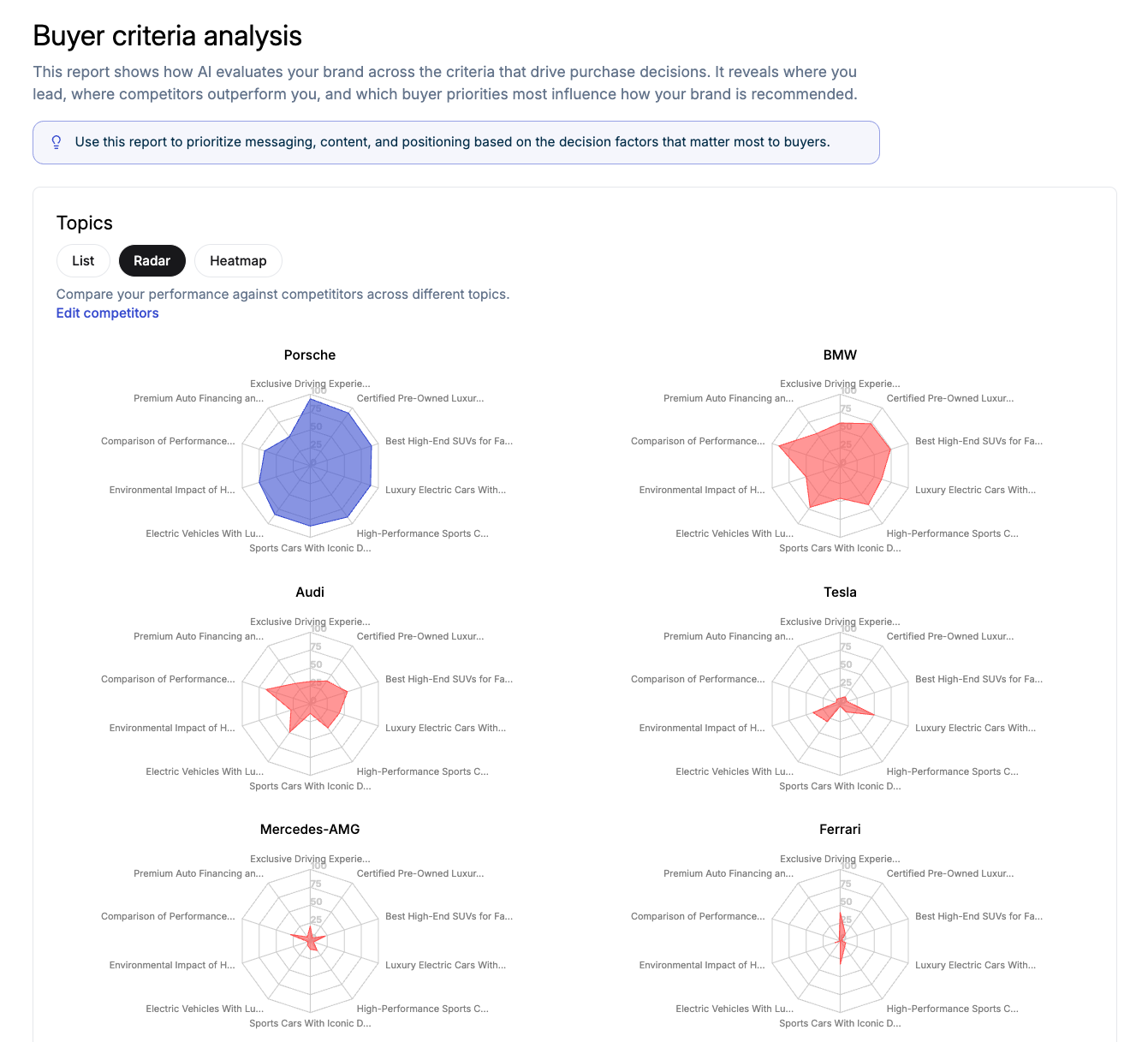
    Buyer Criteria Analysis radar charts comparing brands across buyer topics
    • Buyer Criteria Analysis

      See how models rate brands on the factors that drive purchase decisions, and how you compare with competitors on each one.

    • Mentions Breakdown

      See the exact names, domains, and URLs models use when they cite your brand, by model and in total, so you can spot alternate names or URLs and consolidate them.

    • Conversation filters

      Filter the Conversations page by topic, persona, model, competitor, and source to find the exact prompts and answers behind a mention.

See what AI says about your brand

Run a free sample audit and see which models recommend you, to which buyers, and why.

Free to start ยท No credit card required