
New in Gumshoe!
Three updates just landed to make Gumshoe easier to navigate and give you more visibility into your technical audits.
Here's what's new:
Workspaces (formerly Organizations)
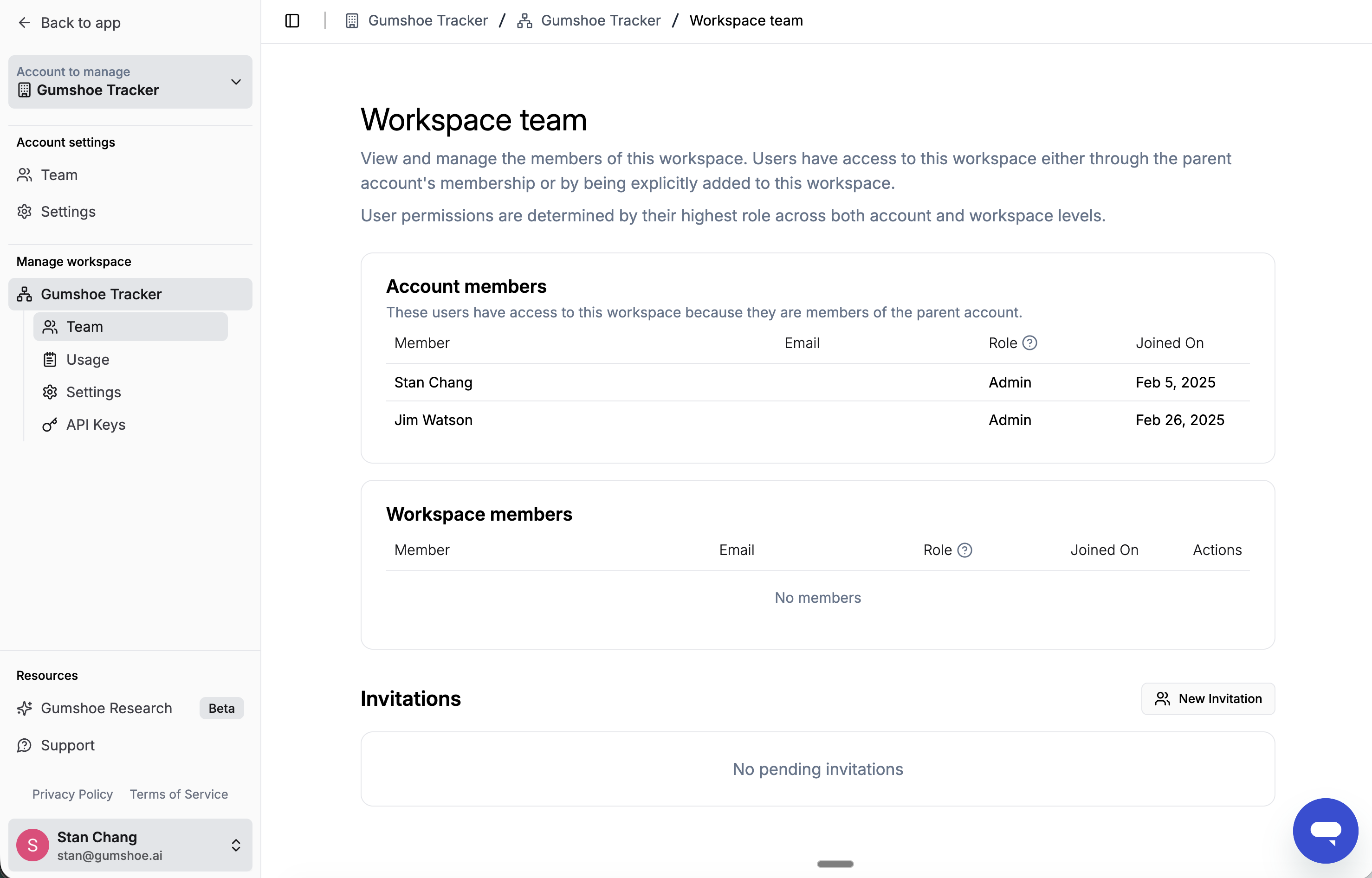
We've renamed Organizations to Workspaces across the app. It's the same concept under a clearer name, so there's nothing you need to do: your members, settings, and history are all intact. We're rolling the change out gradually, so you may still see "Organization" in parts of our Help Center and the in-app AI agent for a little while. It's purely cosmetic, and everything keeps working as before.
Read more about Workspaces in our Help Center.
Reorganized left navigation
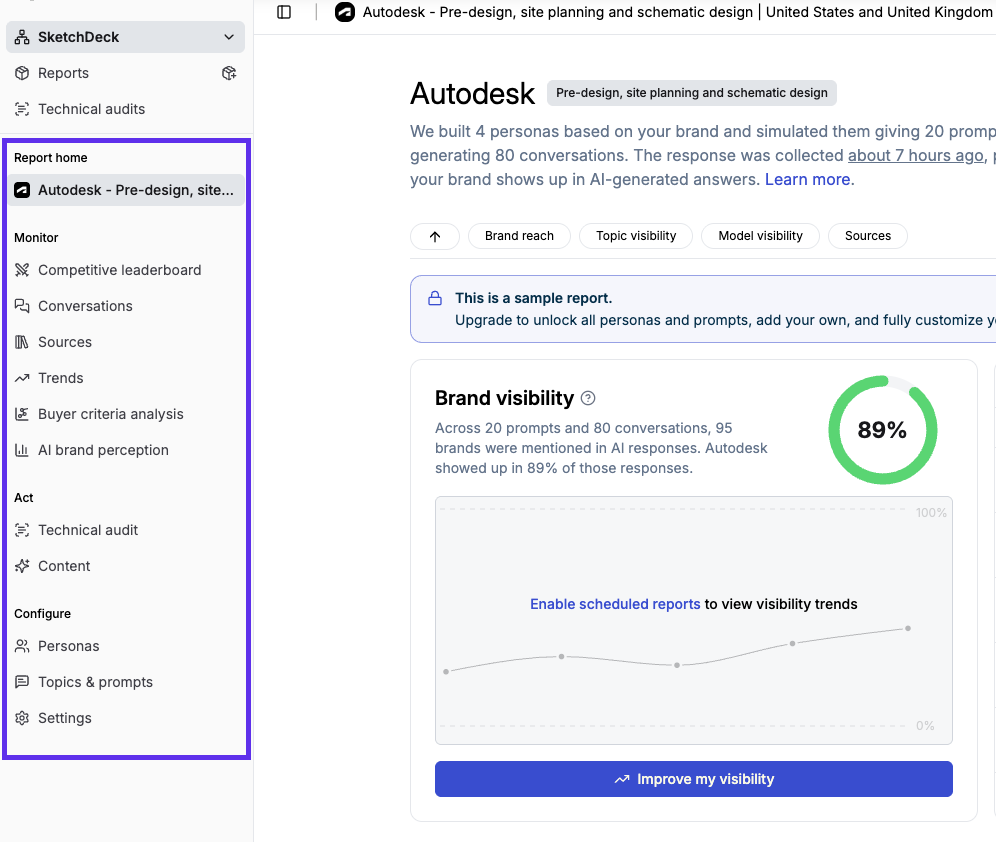
We've grouped the left sidebar into logical sections so you can find pages faster. A few things got renamed in the process: "Page audit" is now "Technical audit," and "Mentions" is now "Citations" in your Sources tables. The active page indicator is also more visible, so it's easier to tell where you are at a glance.
Read the details to learn more.
Technical audit history at a glance
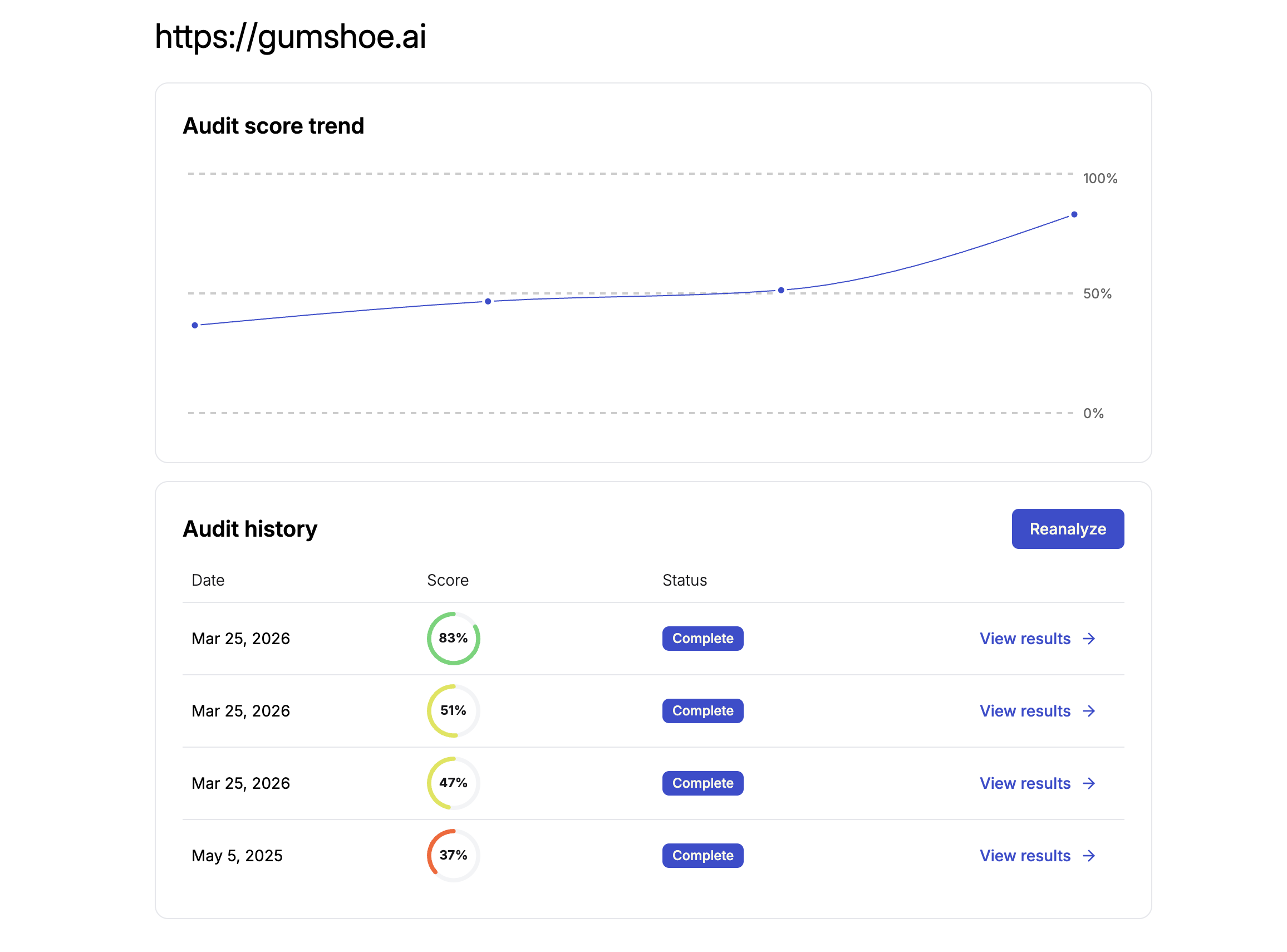
There's a new overview page for Technical audits that shows every run for a given analysis target on a single screen, so you can compare results over time at a glance and click into any individual run for a closer look. We've also added breadcrumbs throughout the audit experience, making it easier to move between targets, runs, and the new overview without losing your place.
Read the details to learn more.
All 3 updates are live now. Log in to app.gumshoe.ai to explore them, or reply to this email to schedule a quick walkthrough.
Until next time,
The Gumshoe Team